CleanShot X vs [Shottr]
Two of the most loved Mac screenshot apps, pulling in opposite directions. CleanShot X is the polished, feature-rich suite. Shottr is the fast, featherweight, low-cost one. Here is an honest read on which fits you, and where a pay-once app that also records fits in.
- One-time $19
- No subscription
- No account
- On-device
Updated August 2026·9 min read
Both apps do the same core job better than the built-in ⇧⌘4: they grab a screenshot, let you mark it up, and get it out the door fast. The split is about philosophy. CleanShot X is a broad, refined toolkit that keeps adding capability. Shottr is a lean, blisteringly quick single-purpose tool that stays out of your way and costs very little. Neither is wrong. They are aimed at different people.
The quick version: pick CleanShot X if you want the most complete feature set and do not mind paying for it on a recurring basis or through Setapp. Pick Shottr if you want speed, a tiny footprint, and a near-free price, and you can live without cloud sharing and a built-in recorder. And if what you actually want is one native app that does polished screenshots and records demos with automatic zoom, for a single payment, that is a third path worth knowing about. All three are below.
The quick take on each
CleanShot X
CleanShot X is the maximalist. Beyond capture and annotation it adds scrolling capture for long pages, a self-hosted-feeling cloud with shareable links, screen recording and GIF export, an all-in-one capture bar, pinned floating screenshots, background wallpaper for shots, and OCR text grab. It is genuinely deep, well designed, and frequently updated. The trade is cost and weight: it is sold on a subscription or bundled through Setapp, and it carries more surface area than a light user needs.
Shottr
Shottr is the minimalist speed pick. It launches instantly, sips memory, and nails the essentials: fast capture, clean annotation, scrolling capture, OCR, a color picker, measurement guides, and pixel-level tools that power users love. It is priced to be almost free, with a very low one-time cost for the paid tier. What it deliberately skips is a cloud service and full-featured screen recording. It is a screenshot tool, sharp and focused.
CleanShot X vs Shottr, side by side
Here is a fair, feature-level comparison. We have added Kapshot as a third column so you can see where a pay-once native app that also records lands against both. Exact prices change and vary by plan, so the price row describes the model rather than a number that will go stale.
| Kapshot | CleanShot X | Shottr | |
|---|---|---|---|
| Price model | Pay once | Subscription / Setapp | Low one-time |
| Screen recording | |||
| Cursor-following auto-zoom | |||
| Scrolling capture | |||
| Annotation and markup | |||
| OCR text grab | |||
| Cloud sharing | On-device | ||
| Screenshot beautifying | Basic | Basic | |
| Speed and footprint | Native | Full suite | Featherweight |
How to read this honestly
Pick CleanShot X if
- You want the deepest single-app feature set and will use scrolling capture, OCR, pinned screenshots, and the all-in-one capture bar regularly.
- Cloud sharing matters to you. Handing someone a link instead of a file, with a history you can manage, is part of your workflow.
- You already pay for Setapp, or a subscription for a tool you use daily does not bother you.
- You want light screen recording and GIF export bundled into the same app that takes your screenshots.
Pick Shottr if
- Speed and a tiny memory footprint are the whole point. You want a capture to appear the instant you press the shortcut.
- Price sensitivity is real. A near-free, low one-time cost beats a recurring bill for what you actually need.
- You live in the details: pixel measurement, a precise color picker, OCR, and clean annotation without extra chrome.
- You do not need a cloud service or a built-in screen recorder, and you are happy sharing plain files.
A pay-once third pick that also [records]
The gap both apps leave is the same one: recording. Shottr does not record at all, and CleanShot X records but does not follow your cursor or push in on the detail that matters. That is where Kapshot sits. It is a native macOS app built around two jobs, weighted equally: recording demos and beautifying screenshots, for a single payment with no account and nothing leaving your machine.
The recording half
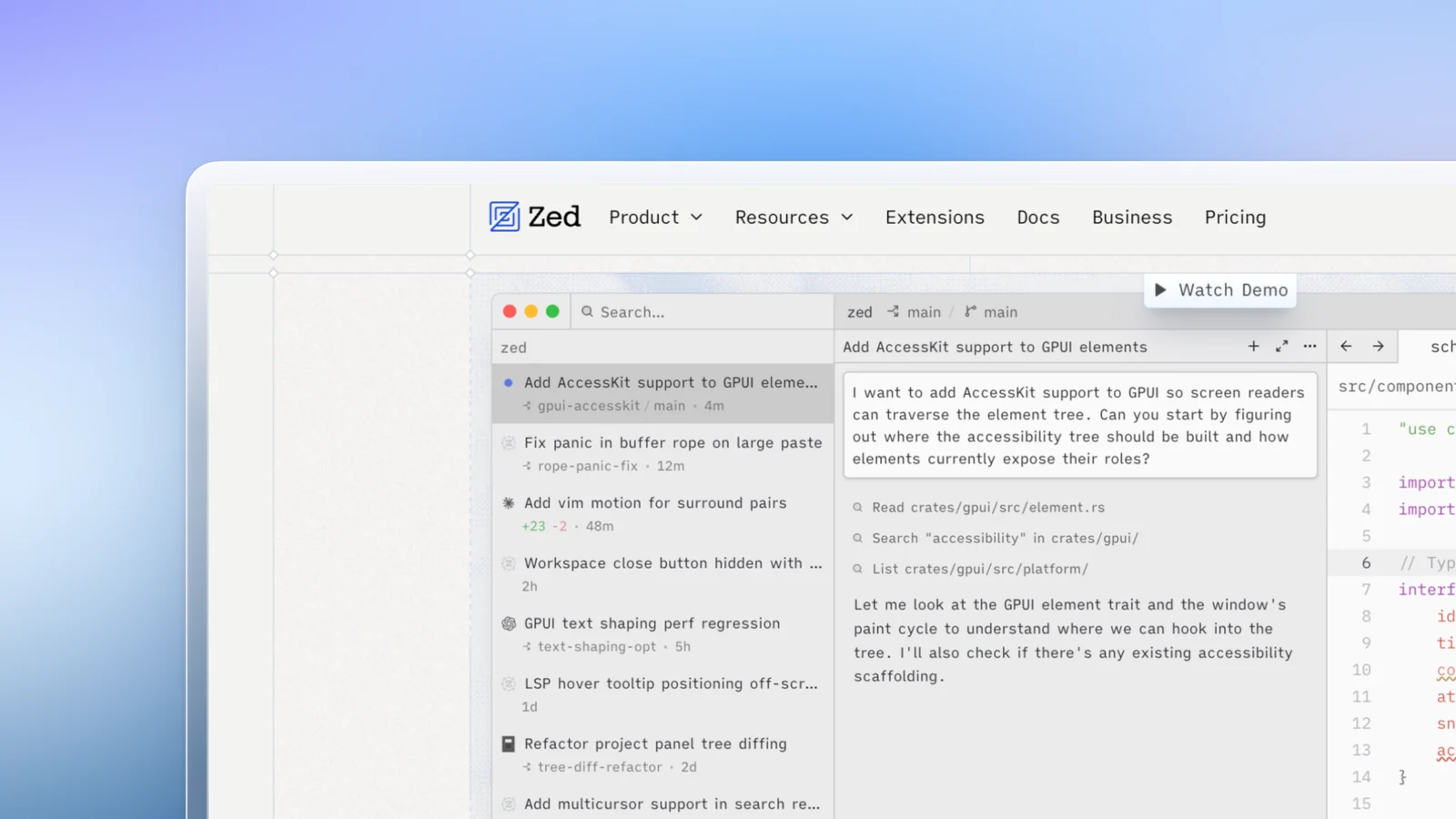
Kapshot records the whole screen, a window, or a region, and captures system audio and your microphone together in one click, something macOS will not do on its own without a virtual audio device. As you work it smoothly zooms in wherever your pointer is active and eases back out when you move on, so a flat capture becomes a guided product demo. You never touch a keyframe, and there is no watermark.
A Kapshot recording with cursor-following auto-zoom and no manual editing.
The screenshot half
On the stills side, Kapshot does what a screenshot beautifier does: it wraps your capture in a background, a real macOS window frame with the traffic-light buttons, and a proper shadow, so a raw grab turns into something you would put in a deck, a changelog, or a landing page. It is the beautifying that both CleanShot X and Shottr treat as a light extra, made a first-class job.
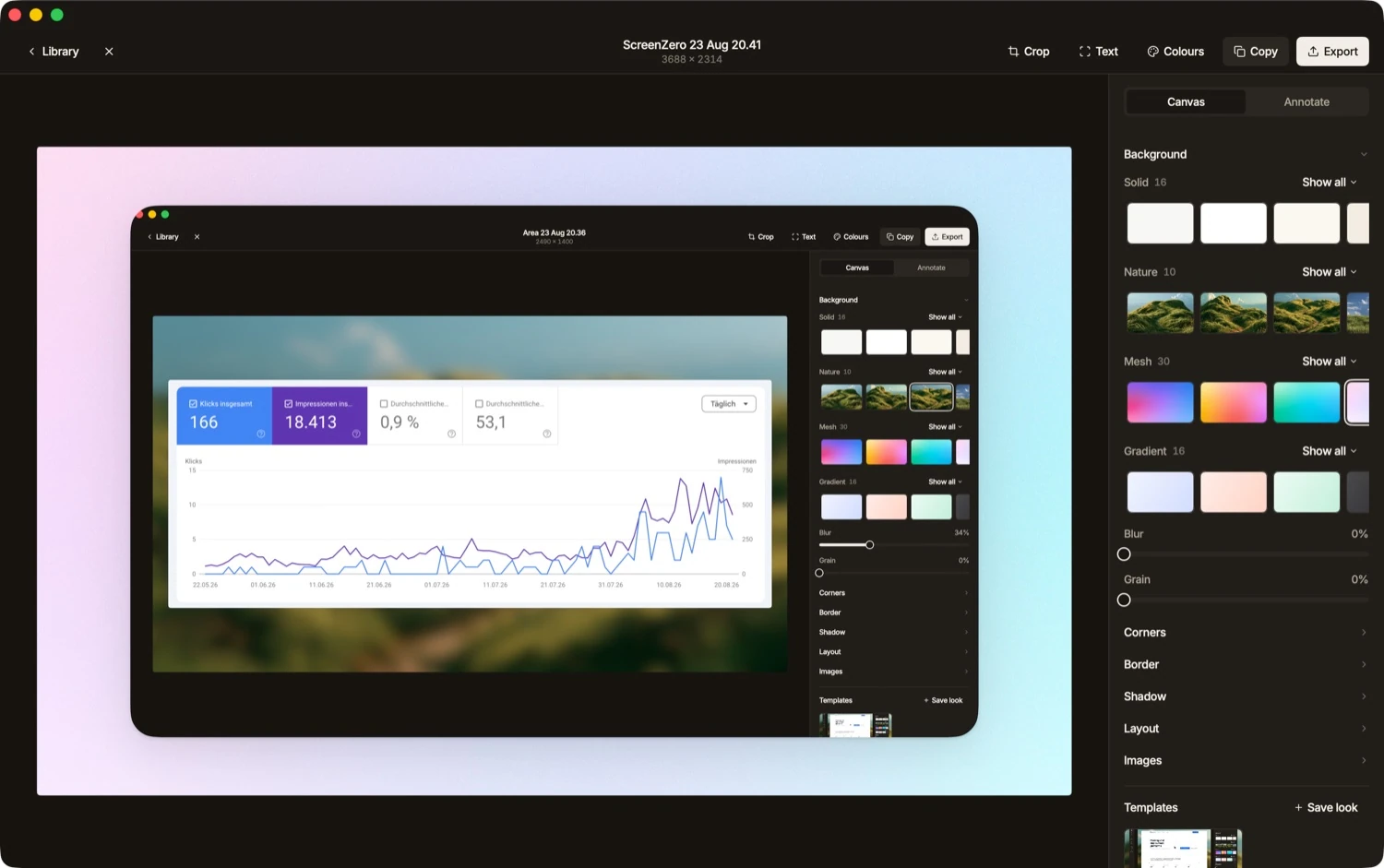
To be fair about the trade: Kapshot does not do scrolling capture or OCR today, and it has no cloud service by design. If those are core to your day, CleanShot X or Shottr will serve you better.Kapshot earns its place when you want recording and screenshots to look deliberate, from one native app, without a subscription.
The pricing difference, plainly
This is where the three genuinely diverge. CleanShot X is sold on a recurring basis or through the Setapp bundle, so you keep paying to keep using it. Shottr is close to free, with a small one-time price for its paid tier, and it is the value champion for pure screenshots. Kapshot is a single payment of $19 at launch, then $29, with no subscription, no account, and no cloud. You own the version you buy.
None of that makes one app the built-in tool or the only right answer. It just means the honest question is not which has the most features, but which pricing model and which two or three features you will actually use match how you work.
FAQ
Want the fuller argument against a screenshot subscription? See our pay-once CleanShot X alternative, or if you are stuck on the built-in tools first, here is how to screenshot on a MacBook.
Screenshots and recordings, [one] native app.
Kapshot records demos with cursor-following auto-zoom and system audio, and wraps screenshots in frames, backgrounds, and real shadows. Pay once, own it forever, nothing leaves your Mac.
Or try the free 7 day trial. No account, no subscription.