A faster [Xnapper] alternative
Xnapper makes screenshots look designed. Kapshot does that too, and it records your screen with auto-zoom. One native app, paid once, nothing leaves your Mac.
- One-time $19
- No subscription
- No account
- On-device
Updated August 2026·6 min read
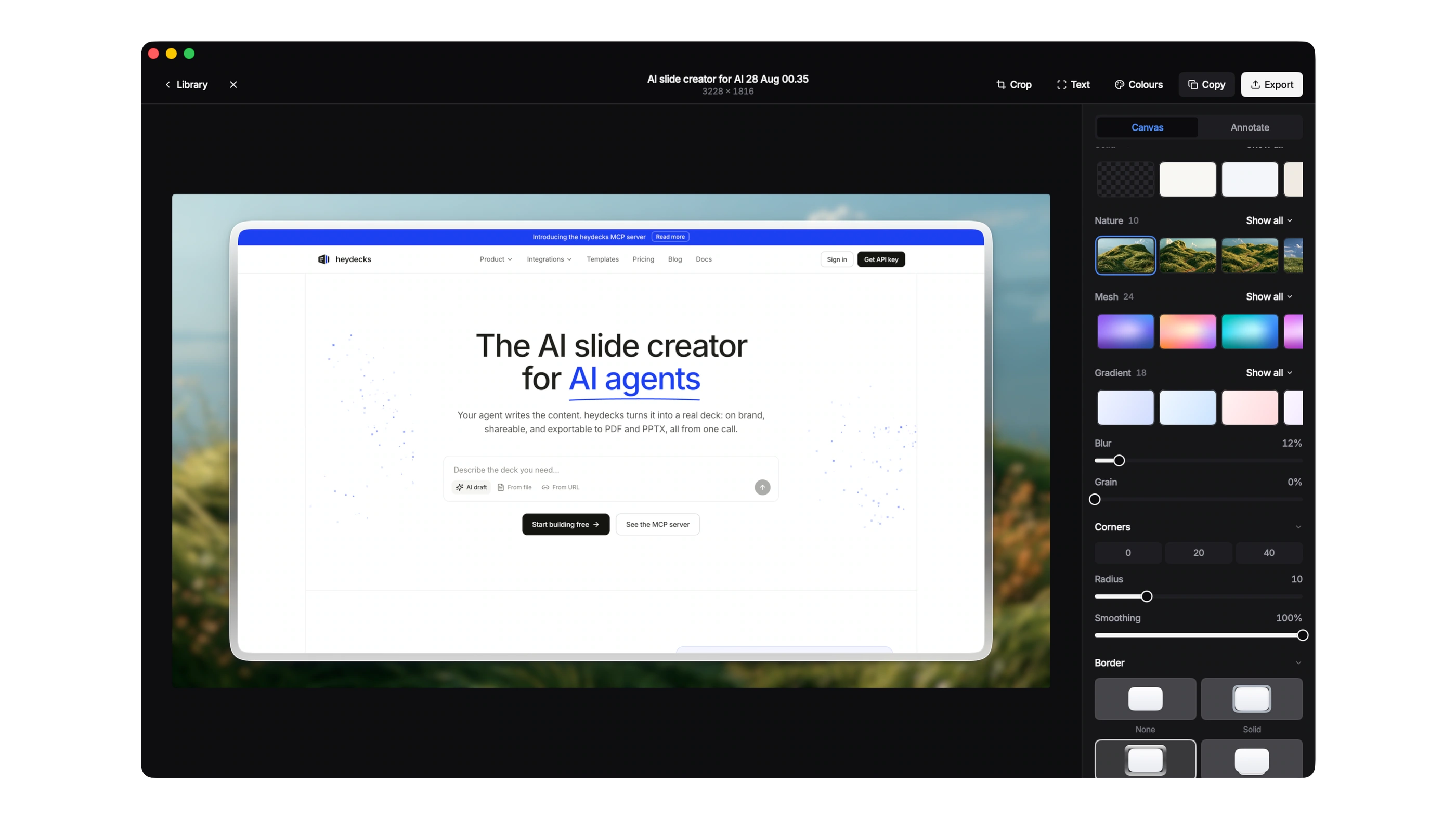
Xnapper earned its place by fixing the most annoying thing about screenshots: they look raw. It auto-balances the crop, drops the shot on a background, and adds a device frame so it is ready to paste into a deck or a post. Kapshot does the same job, and then keeps going into screen recording. If you want one tool for shots and demos, this is the trade you are weighing.
This page is written to be fair. Xnapper is a focused, well-made screenshot beautifier, and if screenshots are all you ever make, it does the job cleanly. Kapshot is a two-in-one native app: the same beautifying, plus a recorder with cursor-following auto-zoom. Below is an honest look at where they overlap and where they part ways, so you can decide without the marketing gloss.
Where Kapshot and Xnapper overlap
The screenshot workflow is the common ground, and Kapshot treats it as a first pillar, not an afterthought. Take a grab with the standard Mac shortcuts, then let the app make it look considered.
- Backgrounds that suit the shot: soft mesh gradients, flat solid colors, and balanced padding around the capture.
- A real macOS window frame with the traffic-light buttons, so an app screenshot reads as an app, not a floating rectangle.
- Genuine drop shadows and rounded corners that lift the image off the page instead of a flat paste.
- High-resolution export to a local file, sized right for a slide, a landing page, or a social post.
If you have used Xnapper, none of this needs explaining. The muscle memory carries over. The reason to look past a pure beautifier is the second thing Kapshot does, which Xnapper does not do at all.
Where Kapshot goes further: screen recording
Xnapper is a screenshot tool. It does not record video. Kapshot records the screen as a native, equal half of the app, and it is the reason most people switch rather than run two separate purchases.
Auto-zoom that follows your cursor
When you record a walkthrough, the interesting thing is wherever your cursor is. Kapshot watches the pointer and zooms in smoothly on the region you are working in, then eases back out, so a viewer always sees the button you clicked and the field you filled. You do not script the zooms or edit them in afterward. The motion is computed as you record, which is the polish people notice in a good product demo.
System audio and mic in one click
macOS does not record internal audio on its own. The built-in Shift-Command-5 toolbar and QuickTime capture the microphone only, and getting system sound usually means installing a virtual audio device like BlackHole and routing it by hand. Kapshot captures system audio and your microphone together in one click, no extra driver to wire up.
The two-in-one is the point
Pay once, and it stays on your Mac
Kapshot is a one-time purchase: $19 during launch, then $29. No subscription, no account, and no renewal date sitting in your calendar. You buy that version and own it. Xnapper sells its own license, so check its current pricing directly; the difference that matters here is that Kapshot is designed around paying once and being done.
Everything also runs on-device. Kapshot is native, built on ScreenCaptureKit, so capture, beautifying, and recording all happen locally. Nothing uploads to a server, there is no login, and export writes a plain file to your Mac. Your screenshots and recordings never leave the machine.
Kapshot vs Xnapper, side by side
An honest comparison of the two on the things people actually pick between. Where a detail depends on the other product's current pricing or plan, we say so rather than guess.
| Feature | Kapshot | Xnapper |
|---|---|---|
| Screenshot beautify | ||
| Backgrounds and window frames | ||
| Real shadows and padding | ||
| Screen recording with auto-zoom | ||
| System and mic audio in one click | ||
| One-time price | $19 once | See Xnapper site |
| On-device, no account | See Xnapper site | |
| Native macOS app |
The pattern is simple. For the screenshot half, the two are close, and Xnapper is a fine choice on its own. For anything that involves recording a screen, Kapshot is doing a job Xnapper does not attempt, and it does it in the same window where you beautify your shots.
Should you switch?
If you only ever make screenshots and you are happy inside Xnapper, there is no urgent reason to move. It is a good tool at what it does. The case for Kapshot is about range: the moment you need to record a feature walkthrough, a bug repro, or a product demo, a beautifier cannot help, and Kapshot already can.
- You make demo videos as well as screenshots and want auto-zoom without editing it in by hand.
- You would rather pay once than track another subscription, and you want to own the version you bought.
- You care that captures stay on your Mac, with no account and no cloud in the loop.
- You want the screenshot polish you already like, in the same app as the recorder.
Positioned plainly: Kapshot is not the built-in macOS tool, and it is not trying to be. It is faster and nicer than the defaults for both jobs, and unlike a screenshot-only beautifier it records too. That is the trade.
Kapshot vs Xnapper FAQ
Beautiful shots and [demos,] from one Mac app.
Kapshot frames your screenshots like Xnapper and records your screen with auto-zoom. Pay once, own it forever, nothing leaves your machine.
Or try the free 7 day trial. No account, no subscription.